Experience the Excellence of the Nature Coast's Finest Fishing Guides
Experience the Excellence of the Nature Coast's Finest Fishing GuidesExperience the Excellence of the Nature Coast's Finest Fishing GuidesExperience the Excellence of the Nature Coast's Finest Fishing GuidesExperience the Excellence of the Nature Coast's Finest Fishing Guides
Book an HGA guide for an unforgettable fishing trip and expert guidance
Experience the Excellence of the Nature Coast's Finest Fishing Guides
Experience the Excellence of the Nature Coast's Finest Fishing GuidesExperience the Excellence of the Nature Coast's Finest Fishing GuidesExperience the Excellence of the Nature Coast's Finest Fishing GuidesExperience the Excellence of the Nature Coast's Finest Fishing Guides
Book an HGA guide for an unforgettable fishing trip and expert guidance
About HGA
Who We Are
Why Choose Us
Who We Are
For over 70 years HGA has provided exceptional angling experiences on the pristine waters of Florida's legendary Nature Coast. Some of our members are fourth-generation guides, with a love of this lifestyle in their blood. All are proven professionals, accomplished local experts with the know-how to catch fish and provide the opportunity to create lifelong memories.
What We Do
Why Choose Us
Who We Are
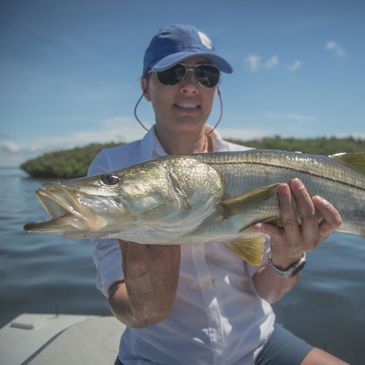
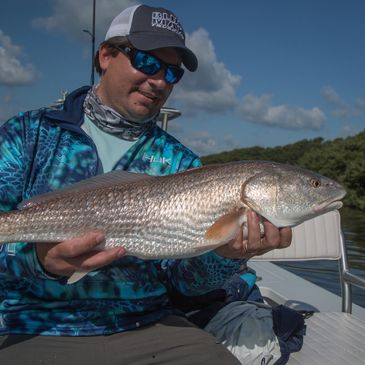
Beginner or advanced angler, light-tackle buff, fly-fishing fan or deep-sea diehard, half or full day, you’re guaranteed a great time on the water with us. Our guides can put you onto the specific fish of your fancy - trout, redfish, cobia, grouper, tarpon or other saltwater species. Some guides even provide a shore dinner service that fe
Beginner or advanced angler, light-tackle buff, fly-fishing fan or deep-sea diehard, half or full day, you’re guaranteed a great time on the water with us. Our guides can put you onto the specific fish of your fancy - trout, redfish, cobia, grouper, tarpon or other saltwater species. Some guides even provide a shore dinner service that features the fresh catch of the day and all the trimmings. Whether your ideal fishing experience comes with a fly, spin or plug, trust HGA to provide experienced guides and unsurpassed fishing fun.
Why Choose Us
Why Choose Us
Why Choose Us
HGA members live and work in the community they serve and love. No one knows the waters better than they do and no one takes more pride in being a part of the bigger picture. Their high standards of customer service will provide you with a day of lifelong memories for the entire family. When they're not fishing, our members are working to
HGA members live and work in the community they serve and love. No one knows the waters better than they do and no one takes more pride in being a part of the bigger picture. Their high standards of customer service will provide you with a day of lifelong memories for the entire family. When they're not fishing, our members are working to maintain and improve the community and the ecosystems of the Nature Coast.
mission statement
“The brotherhood of the Homosassa Guides Association is committed to provide a safe professional service to its customers for a lifetime experience to remember, using the highest quality equipment, while protecting and respecting the environment, waterways and being responsible citizens of our own communities.”
Make a donation to the HGA
We are dedicated to giving back to our community and actively seek ways to support environmental conservation efforts to protect our Nature Coast.
We use cookies to analyze website traffic and optimize your website experience. By accepting our use of cookies, your data will be aggregated with all other user data.